New to MTN MoMo? Learn how it works here.
It's easy for MTN MoMo subscribers to make fast betPawa deposits.
MTN Mobile Money (MoMo) is different from Airtime. MoMo is real money and can be transferred from one account to another similar to how bank accounts work. It is the future of mobile payments.
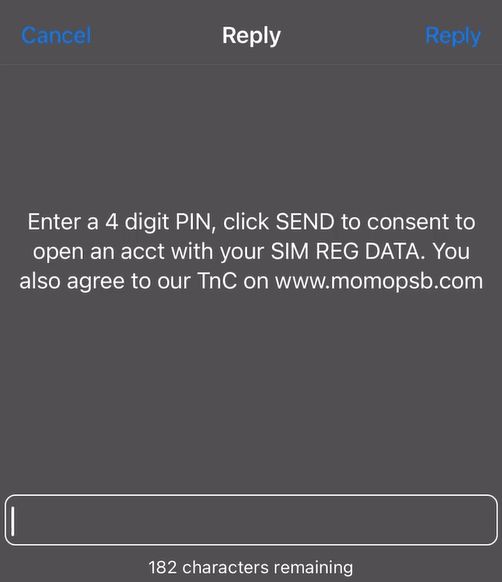
How to create an MTN MoMo account
Click to dial *671# using your MTN SIM card
Create a 4-digit PIN and re-enter it for confirmation
How to add funds to your MTN MoMo account from your bank account app
Log into your banking app and initiate a bank transfer.
Enter your 10-digit MTN number as the recipient account (exclude the initial 0, eg 80xxxxxxxx)
Select MOMO PSB (or MoMo Payment Service Bank) as the receiving bank (image shows random account number)
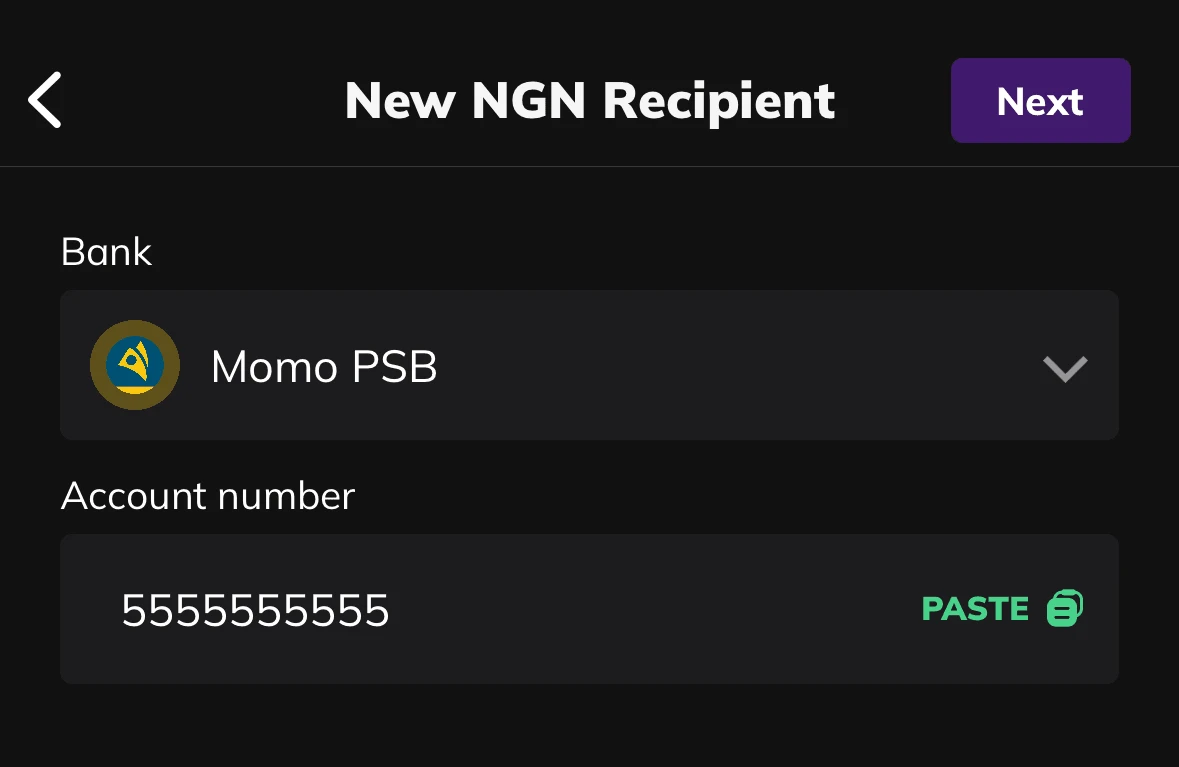
Enter an amount and confirm the payment with your bank app credentials (PIN, token OTP or fingerprint)
MTN will message you confirming the transaction if it’s successful
Note: MTN MoMo payments may not be available on all banking apps
How to add funds to your MTN MoMo account through a registered agent
If MTN MoMo transfers aren’t available on your banking app, or you prefer making payments in person, you can visit a registered agent. Click to dial *223# for free to find one near you.
You can call MTN on 180 if you need further help adding funds to your MTN MoMo account.
How to deposit to betPawa using MTN MoMo
1. Log in to betPawa (if you are not already)
2. Enter your desired amount and click “DEPOSIT”
3. Confirm payment via entering PIN in the approval request sent to your phone and your account balance will be credited instantly.
Contact our Customer Support team for help using your MTN MoMo account on betPawa